About Slate Blog
Why We build it?
We love writing and sharing, and we appreciate well-crafted products. That’s why we created this minimalist theme, focusing on content itself, providing a smooth and pure writing and reading experience. Built on the latest framework, it’s faster, lighter, and more efficient.
It also works seamlessly with Obsidian, helping you turn your notes into published posts effortlessly.
✨ Features
- Minimalist design theme
- Mobile-first responsive layout
- Light and dark mode support
- Quick setup with zero configuration required
- Draft mode with local preview and automatic production filtering
- Built-in RSS feed with Follow authentication
- Integrated Algolia search functionality
- Comprehensive SEO optimization for better search rankings
- Horizontal multi-image layout with automatic column distribution
- Pangu spacing for mixed Chinese, Latin text, and numbers
- Code highlighting that follows the light and dark themes
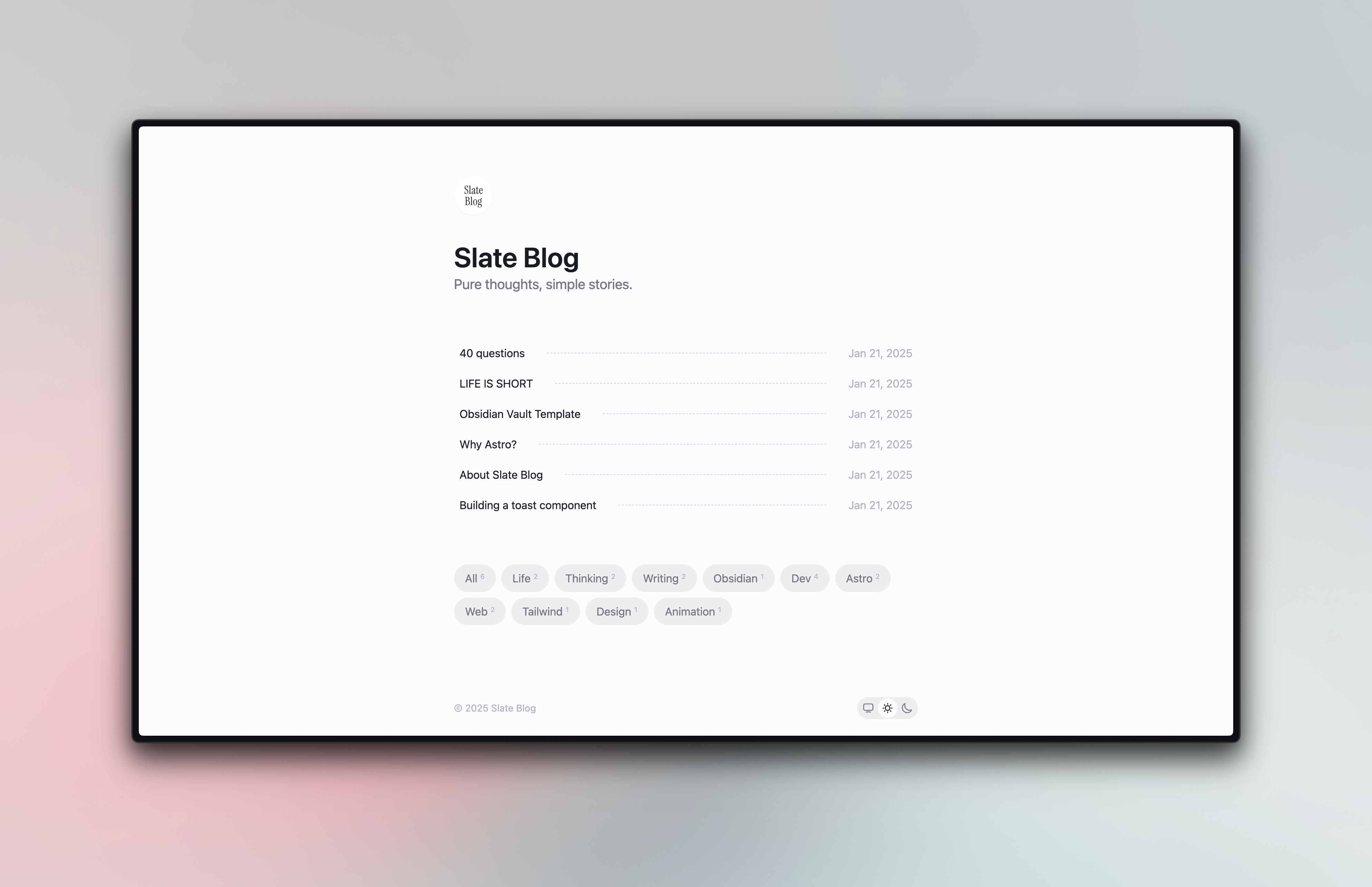
- Tag filters on the home page and optional related-post recommendations
- Active desktop navigation and an accessible mobile table of contents
- Circular reading progress with a progressive-blur floating title
- Optional Markdown-powered Now and About pages
- Optional “Read with ChatGPT” action
🪜 Framework
- Astro + React + Typescript
- Tailwindcss + @radix-ui/colors
- Updated to Tailwind CSS v4.0 (Jan 10, 2025)
- Docsearch
🔨 Usage
# Start local servernpm run dev# oryarn dev# orpnpm dev
# Buildnpm run build# oryarn build# orpnpm build
🗂 Directory Structure
- plugins/ # Custom plugins- src/ ├── assets/ # Asset files ├── components/ # Components ├── content/ # Content collections and optional pages │ ├── now.md # Optional /now page; delete to disable │ ├── about.md # Optional /about page; delete to disable │ └── post/ # Blog articles ├── helpers/ # Business logic ├── pages/ # Pages └── typings/ # Common typesArticles are stored in the
src/content/postdirectory, supporting markdown and mdx formats. The filename is the path name. For example,src/content/post/my-first-post.md=>https://your-blog.com/blog/my-first-post.
Optional Now page
src/content/now.md enables the /now page and its Header navigation entry. The included example means this is enabled by default. It uses the same Markdown pipeline and typography as blog articles, including code blocks, tables, math, containers, and image captions. Delete src/content/now.md to remove the navigation entry, route, and sitemap address.
Optional About page
src/content/about.md is the exact switch for the /about page and its Header navigation entry. The repository template includes this file, so About is enabled by default. /about uses the full article/Now Markdown pipeline and typography, including code blocks, tables, math, containers, and image captions. Deleting src/content/about.md removes the About navigation, route, and sitemap URL without disabling Now.
Configuration
Theme configuration is done through slate.config.ts in the root directory.
| Option | Description | Type | Default |
|---|---|---|---|
| site | Final deployment link | string | - |
| title | Website title | string | - |
| description | Website description | string | - |
| lang | Language | string | zh-CN |
| theme | Theme | `{ mode: ‘auto' | 'light' |
| avatar | Avatar | string | - |
| sitemap | Website sitemap configuration | SitemapOptions | - |
| readTime | Show reading time | boolean | false |
| lastModified | Show last modified time | boolean | false |
| relatedPosts | Related-post recommendations | { enabled?: boolean, limit?: number } | { enabled: false, limit: 3 } |
| readingProgress | Show circular progress in the floating article title | boolean | true |
| progressiveBlur | Use a fading blur behind the floating article title | boolean | true |
| readWithChatGPT | Show an external “Read with ChatGPT” action | boolean | false |
| algolia | Docsearch configuration | { appId: string, apiKey: string, indexName: string } | - |
| follow | Follow subscription authentication configuration | { feedId: string, userId: string } | - |
| footer | Website footer configuration | { copyright: string } | - |
| socialLinks | Social Links Configuration | { icon: [SocialLinkIcon](#sociallinkicon), link: string, ariaLabel?: string } | - |
SocialLinkIcon
type SocialLinkIcon = | 'dribbble' | 'facebook' | 'figma' | 'github' | 'instagram' | 'link' | 'mail' | 'notion' | 'rss' | 'threads' | 'x' | 'youtube' | { svg: string };Algolia Application
- Deploy your site first
- Apply for an
apiKeyat algolia - After successful application, configure
algoliainslate.config.ts - Redeploy
Follow Subscription Authentication
- Register a follow account
- Deploy your site
- Click the
+button onfollow, selectRSSsubscription, and enter thersslink (usually[site]/rss.xml, wheresiteis the value ofsiteinslate.config.ts) - Redeploy
Article Frontmatter Description
| Option | Description | Type | Required |
|---|---|---|---|
| title | Article title | string | Yes |
| description | Article description | string | No |
| tags | Article tags | string[] | No |
| draft | Whether it’s a draft. When not provided or false, pubDate must be provided; drafts are only visible in local preview | boolean | No |
| pubDate | Article publication date | date | No, required when draft is false |
For more details, check the src/content/config.ts file
Tags are always available as filters on the home page. When related posts are enabled, tag overlap contributes 70% of the recommendation score and publication date proximity contributes 30%.
export default defineConfig({ // Other options... relatedPosts: { enabled: true, limit: 3, },});Desktop and mobile article navigation are always enabled when an article has section headings. The mobile dialog supports overlay dismissal, Escape, focus restoration, and reduced-motion preferences.
readingProgress controls only the circular indicator. When progressiveBlur is false, the floating title remains visible and falls back to a translucent background with ordinary backdrop blur.
Enabling readWithChatGPT opens chatgpt.com in a new tab with the canonical article URL in a prefilled prompt. The theme does not call the ChatGPT API or send credentials; following the link leaves your site and is subject to ChatGPT’s privacy policy.
Example
---title: 40 questionsdescription: This repo maintains revisons and translations to the list of 40 questions I ask myself each year and each decade.tags: - Life - Thinking - WritingpubDate: 2025-01-06---Markdown Syntax Support
In addition to standard Markdown syntax, the following extended syntax is supported:
Basic Syntax
- Headers, lists, blockquotes, code blocks and other basic syntax
- Tables
- Links and images
- Bold, italic, and
strikethroughtext
Extended Syntax
Container syntax
Using ::: markers
:::infoThis is an information prompt:::The result is:
This is an information prompt
LaTeX Mathematical Formulas
- Inline formula:
- Block formula:
Support for image captions
The result is:
Updates
Version 1.8.0
- Added an optional, complete-Markdown About page driven by
src/content/about.md - Shared exact file discovery between the independent Now and About pages
Version 1.7.0
- Added an optional, complete-Markdown Now page driven by
src/content/now.md - Added conditional Header navigation and route generation with file-based opt-out
Version 1.6.0
- Added active desktop section navigation and an accessible mobile contents dialog
- Added circular reading progress and default-on progressive blur
- Added an optional external “Read with ChatGPT” entry, disabled by default
Version 1.5.0
- Added fixed-enabled tag filtering on the home page
- Added optional related-post recommendations, disabled by default
- Added deterministic recommendation scoring and localized discovery states
Version 1.4.0
- Replaced Heti with Pangu and removed the article-page runtime CDN dependency
- Added light and dark code highlighting themes
- Improved mobile heading sizes and overflow handling for long code, tables, and images
Version 1.3.0
- Support Social Links
- Optimize RSS article detail generation.
- Add a script to synchronize the latest slate-blog version
Version 1.2.0
- Support i18n (English and Chinese)
- Fixed known issues
Version 1.1.1
- Fixed known issues
Version 1.1.0
- Upgraded to support Tailwind CSS v4.0
- Added dark mode support
- Fixed known issues
From Slate Blog